Turning a Basic Laptop into a Gaming Machine
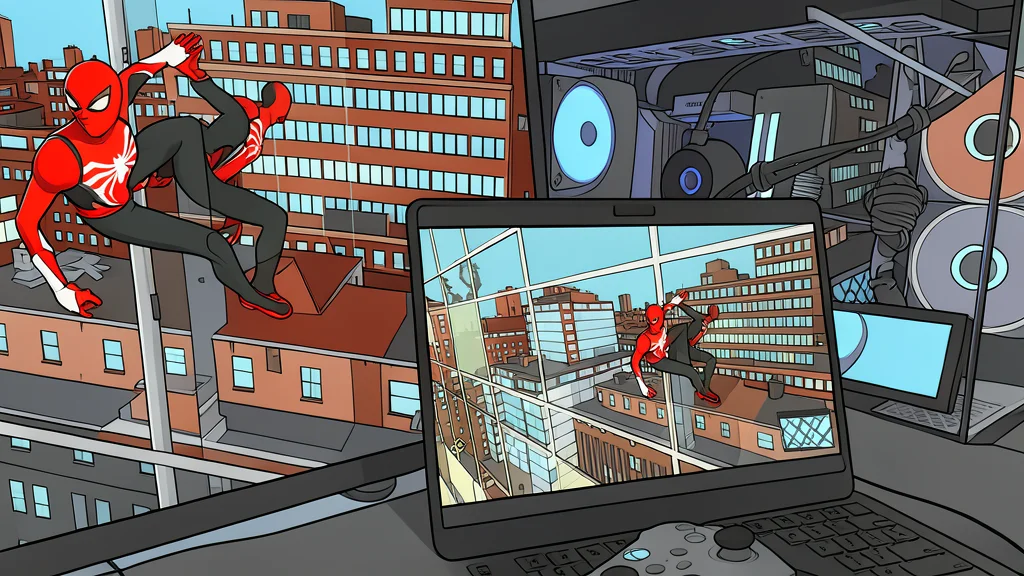
A new setup allows users to play high-end games on lightweight laptops by offloading the heavy processing to a desktop computer.
For years, portable computers have been defined by compromise. Thin and light laptops often lack the powerful graphics cards needed for modern video games, and those that do tend to overheat quickly. This is especially true for Mac users, who face both hardware limitations and a smaller library of available titles. Many people simply accepted that serious gaming required a bulky desktop machine.
However, a new approach has changed this dynamic. By using two free, open-source applications, a lightweight laptop can now display high-quality game footage rendered by a distant desktop computer. As reported by XDA Developers, this setup effectively turns the laptop into a simple screen, eliminating the need for powerful local hardware or complex cooling systems.
Offloading Graphics Processing to Desktop
The core of this method involves moving the graphical workload away from the laptop. Instead of the portable device trying to render complex 3D environments, it simply receives a video stream. The desktop computer, equipped with a high-performance graphics card, handles all the heavy lifting, including ray tracing and high-resolution rendering. The laptop only needs to decode this video, a task that modern processors handle with ease.
This separation of duties means the laptop’s own graphics capabilities become irrelevant. Whether the desktop is running demanding features like dynamic lighting or high frame rates, the portable device remains cool and quiet. It acts purely as a display terminal, relying on dedicated media decoding hardware to process the incoming signal without straining its central processor.
Simple Setup with Free Software
Implementing this system requires only two applications: Sunshine and Moonlight. Both are free and open-source, making them accessible to a wide range of users. Sunshine runs on the host desktop computer, while Moonlight runs on the client device, such as a laptop or smartphone. The names are often confused, but the distinction is simple: the sun casts light, and the moon reflects it.
The installation process is straightforward and can be completed in an evening. Once configured, users can play games from anywhere in their home, provided they are connected to the same network. This flexibility eliminates the need to sit at a fixed desk, allowing for a more relaxed gaming experience without the heat and noise typically associated with high-performance portable hardware.
Hardware Requirements and Limitations
While the setup is versatile, it does have specific hardware requirements. The host desktop needs a graphics card with a hardware video encoder, such as those found in recent Nvidia, AMD, or Intel models. This dedicated encoding hardware ensures that streaming the game does not significantly impact the frame rate. The client device, on the other hand, can be almost any modern computer, tablet, or phone capable of playing video.
The main trade-off is the reliance on a stable network connection. If the local network is slow or unstable, the video stream may suffer from lag or compression artifacts. Additionally, the user must maintain a desktop computer that is powerful enough to run the games, meaning the initial hardware investment is still required. However, for those who already own a gaming PC, this solution unlocks the portability of a lightweight laptop without sacrificing performance.