Laptop Trackpad Lifting Is a Serious Battery Safety Warning
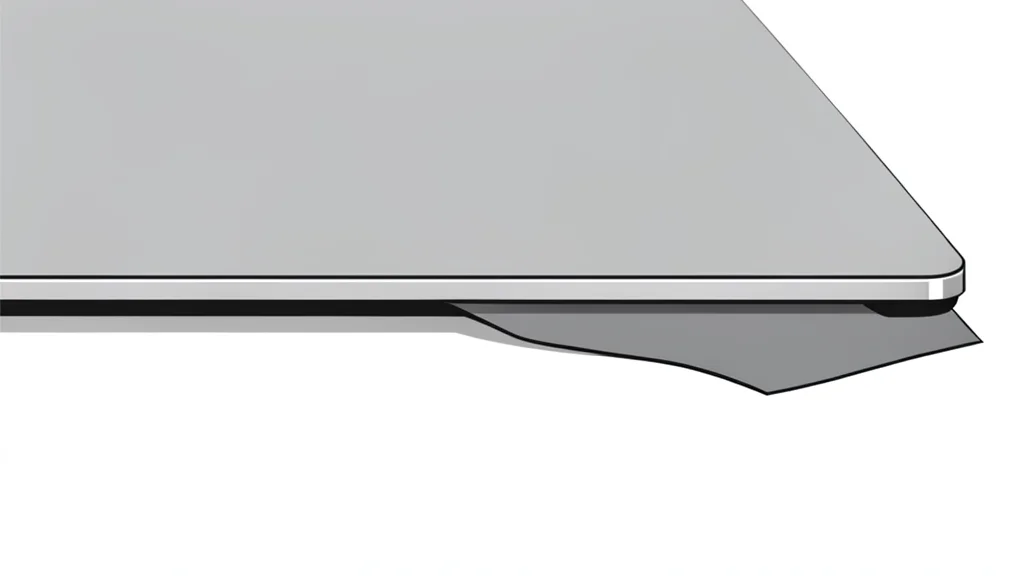
A loose or bulging trackpad is often the first sign of a swollen battery. This condition poses a real fire risk, so you should stop using the device immediately until it is inspected by a professional.
If you have noticed that the touch surface of your laptop has started to lift or feel loose, you need to stop using the machine right away. This is not just a cosmetic issue or a minor hardware glitch. In many cases, this physical change is caused by a lithium-ion battery that is swelling from the inside. While modern batteries are generally safe, they can become hazardous if they are overcharged or damaged, leading to the production of harmful gases that push against the internal components.
Because the battery is typically installed directly underneath the trackpad, any expansion exerts significant pressure on the glass or plastic cover above it. This pressure can cause the panel to crack or pop out entirely. Engadget notes that this is a clear indicator that the battery is nearing the end of its life and has become a potential fire hazard. Ignoring this warning sign could result in permanent damage to the laptop or, in a worst-case scenario, a dangerous fire.
Swollen batteries create immediate physical risks
The risk is not theoretical. Major manufacturers have had to launch replacement programs for devices with swollen batteries in the past. While a loose trackpad can occasionally be caused by a loose screw or physical impact, the most common and dangerous cause is internal battery expansion. A battery that has begun to swell is unstable. It can continue to expand until it bursts, releasing flammable materials. This makes the situation far more serious than a simple malfunction where the device simply stops working.
You should treat a lifting trackpad as a critical safety emergency. The best course of action is to turn off the laptop, unplug it from any power source, and avoid moving it unnecessarily. Do not attempt to pry the trackpad back into place yourself, as this could puncture the swollen battery and trigger a fire. The device needs to be handled by professionals who have the proper equipment to manage hazardous battery components safely.
Professional repair is the safest option
Attempting to fix a swollen battery at home is strongly discouraged. Handling these components without proper training and tools can be extremely dangerous. A qualified technician can safely remove the faulty battery and install a new one. Once the new battery is in place, the trackpad should snap back into its original position. If the previous swelling damaged the trackpad itself, that component may also need to be replaced, which could increase the cost of the repair.
If your laptop is still under warranty, the manufacturer will likely cover the cost of the battery replacement. It is worth checking your warranty status before paying out of pocket. If the device is out of warranty, prices vary by brand and model, but it is a necessary expense to ensure your safety. The trade-off is a temporary period without your laptop, but this is far less costly than the potential damage from a fire or the loss of the device entirely.
Preventive habits extend battery lifespan
You can reduce the likelihood of this issue occurring in the future by adopting better battery care habits. Extreme temperatures are a major enemy of lithium-ion batteries. Avoid leaving your laptop in direct sunlight or in hot cars, as heat accelerates the chemical degradation that leads to swelling. Using only original or certified chargers is also crucial, as cheap, unverified power supplies can overcharge the battery and cause internal damage.
If you plan to store your laptop for an extended period without using it, keep the charge level at approximately fifty percent. Storing a battery at full charge or letting it drain completely can cause long-term damage. It is also a good idea to power on the device every three months to check its status and maintain the battery's health. By following these simple precautions, you can protect your investment and ensure that your laptop remains a safe and reliable tool for daily use.