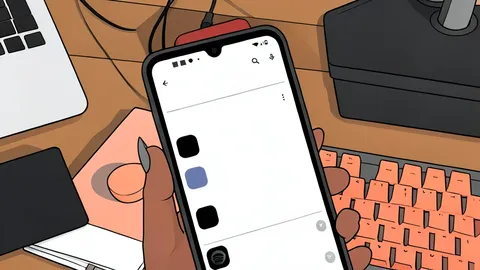
Gmail Adds One-Tap Copy for Verification Codes
A new Gmail shortcut lets users copy OTPs instantly from the inbox, reducing the need to manually select text from emails.
Key points
- Gmail on Android and iOS now features a one-tap "Copy Code" button for verification codes.
- The shortcut appears inside emails and sometimes in the inbox preview, though the inbox version is less consistent.
- The feature does not integrate with Gboard, requiring users to manually open Gmail to copy the code.
Google is rolling out a practical update to Gmail on Android and iOS that simplifies the process of using one-time passwords. The change introduces a dedicated shortcut that allows users to copy verification codes with a single tap, eliminating the friction of manually selecting and copying text from the message body.
As reported by Android Central, this feature targets a common pain point for mobile users who receive security codes via email rather than text messages. While the update improves speed and accuracy, it does not yet fully replace the need to switch applications, as it lacks deep integration with the system keyboard.
How the new shortcut works
When a message containing a one-time password arrives, Gmail now displays a distinct card at the top of the email, just below the subject line. This card clearly isolates the verification code and includes a prominent "Copy Code" button. Tapping this button copies the digits to the clipboard, ready to be pasted into any app requiring verification.
The shortcut also appears in the main inbox view alongside the email preview, offering a secondary point of access. However, the implementation in the inbox list is currently inconsistent. The version inside the individual email message has proven to be more reliable and appears more frequently during testing.
Integration limits and availability
Despite the convenience, the feature has a notable trade-off regarding workflow. Unlike the Messages app, which can suggest codes directly within the keyboard, Gmail's update does not integrate with Gboard. Users must still manually open the Gmail app, locate the email, and tap the copy button before pasting the code into their target application.
This update is currently rolling out through the latest versions of the Gmail app on both Android and iOS devices. If the shortcut is not visible, updating the application to the most recent version is the recommended step. The feature is designed to reduce the time spent on authentication tasks, even if it does not eliminate the app-switching requirement entirely.
Why this update matters
For many users, verification codes are a frequent interruption in digital workflows. The previous method of selecting text was prone to errors, such as copying extra spaces or numbers. By isolating the code in a dedicated interface element, Gmail reduces the risk of input mistakes and speeds up the authentication process.
While the lack of keyboard integration remains a limitation, the one-tap copy function is a significant quality-of-life improvement. It acknowledges the importance of email-based security codes and provides a smoother path to verification, making the overall experience more efficient for daily users.