Clipchamp Adds Local AI Upscaling to Boost Video Resolution
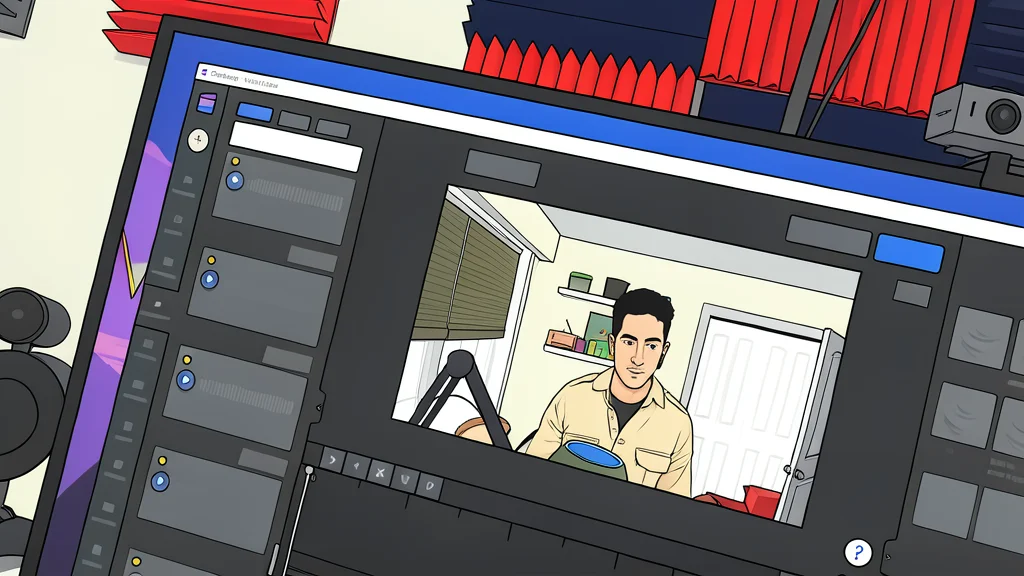
Microsoft's video editor now uses on-device AI to enhance low-res clips to 4K, eliminating the need for cloud processing.
Key points
- Clipchamp now offers AI-powered upscaling to 4K that runs locally on the device.
- The feature uses Video Super Resolution technology to add detail and sharpen images.
- Users must process clips individually and sign in with a Microsoft account to use the editor.
Microsoft has introduced a new artificial intelligence feature in Clipchamp, the video editor built into Windows 11. The tool allows users to increase the resolution of existing video files up to 4K, aiming to make lower-quality footage clearer and more suitable for high-definition displays.
Unlike many competitors that send video data to remote servers for processing, this upscaling function runs locally on the user's device. According to Windows Central, this approach keeps sensitive media within the user's hardware, reducing privacy concerns and avoiding the upload times associated with cloud-based editing tools.
Local processing powers the enhancement
The technology behind the feature is called Video Super Resolution. It works by analyzing the selected clip and adding detail to sharpen the image. The process relies on the device's Neural Processing Unit (NPU), a specialized chip found in newer PCs, to handle the computational load efficiently.
However, the feature is not limited to devices with dedicated AI chips. It can also run on compatible central processing units (CPUs) and graphics cards. This flexibility means that older laptops with powerful processors can still use the tool, although the processing speed may vary depending on the hardware specifications.
Simple steps with significant trade-offs
Using the feature is straightforward. After importing a clip into the timeline, users select the specific video segment and click an upscale icon. They then choose the desired target resolution and initiate the process. If the result is unsatisfactory, the original clip can be restored with a single click, ensuring no permanent damage to the source material.
Despite the convenience, there are limitations. The tool cannot upscale an entire project at once; each clip must be processed individually. Additionally, while it improves clarity for larger screens, it cannot magically fix severely poor footage. It is best suited for enhancing decent material rather than rescuing unusable video.
Account requirements remain a barrier
While the new AI capability is a welcome addition, Clipchamp continues to face criticism over its account policies. Users are required to sign in with a Microsoft account to edit projects, a requirement that has drawn complaints from those who prefer local-only workflows. This friction remains a point of contention for some users, even as the software's technical capabilities improve.