LocalSend Offers Simple File Transfer Between Phones and PCs
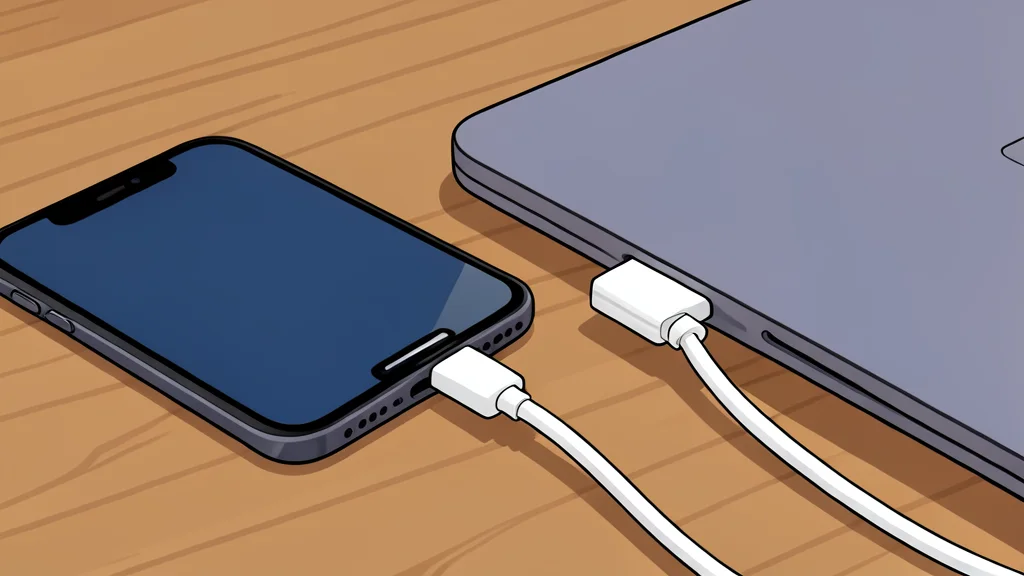
A lightweight open-source utility is replacing clunky workarounds by enabling direct file sharing between nearby devices without cloud uploads or account creation.
Many users have relied on email or cloud services to move files between different operating systems for years, often accepting the hassle as a necessary evil. A new approach is challenging this norm by offering a direct, local method that bypasses the internet entirely. This tool aims to simplify the transfer of photos and documents between smartphones and computers, eliminating the need for third-party intermediaries.
The primary appeal of this solution lies in its frictionless workflow. Unlike traditional methods that require uploading data to a server and then downloading it on the other end, this application facilitates peer-to-peer transfers over local networks. As reported by XDA Developers, this shift removes the latency and privacy concerns associated with cloud storage, making the exchange of files feel more immediate and private.
Direct transfers bypass cloud latency
The core function of the software is to identify devices on the same local network and establish a direct connection. This means that when you send a file from an iPhone to a Windows PC, the data travels directly between the two devices rather than passing through external servers. This architecture significantly reduces transfer times for large files and ensures that sensitive documents do not leave the user's immediate physical environment.
However, this convenience comes with a clear trade-off. Because the transfer relies on a local network connection, both devices must be in close proximity and connected to the same Wi-Fi network or hotspot. If you need to share a file with someone who is miles away, this tool is not a viable option. It is designed strictly for local, short-range exchanges, not long-distance distribution.
Cross-platform compatibility is a key strength
One of the most significant advantages of this utility is its broad support across different operating systems. It works seamlessly between iOS, Android, Windows, macOS, and Linux. This universal compatibility solves a common pain point for users who mix different ecosystems, such as those using an iPhone with a Windows desktop. The app acts as a universal bridge, ensuring that file formats and transfer protocols are handled consistently regardless of the device involved.
The interface is designed to be minimal, focusing solely on the task of selecting files and choosing a destination device. There are no social features, chat functions, or complex folder structures to navigate. This simplicity reduces the cognitive load on the user, allowing for quick actions without the distraction of unnecessary features. The lack of bloatware ensures that the application remains lightweight and fast to launch.
Local use has distinct limitations
Despite its efficiency for immediate needs, this tool does not replace all file management strategies. It is not a backup solution, nor does it provide ongoing synchronization of folders across devices. If you need a file to be available for weeks or months, or if you require automatic backups, cloud storage services remain the superior choice. The local transfer tool is best suited for one-off exchanges, such as moving a photo to edit it on a computer or transferring a document for immediate review.
Additionally, while the application handles multiple file selection well, it lacks the advanced permission management and sharing links found in enterprise-grade cloud platforms. It is a personal utility, not a collaborative workspace. Users should understand that it solves the problem of quick, local data movement but does not address the needs of team collaboration or long-term data archiving.