Razer Cooling Pad Boosts Laptop Frame Rates by up to 20%
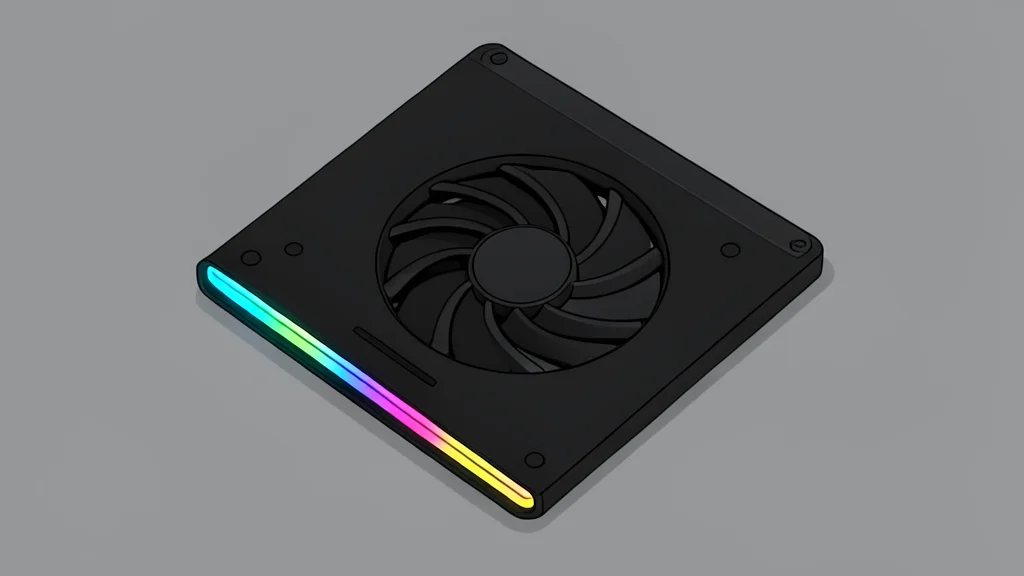
A $150 active cooling pad improves gaming laptop performance by forcing better airflow, though results vary by title.
Key points
- The Razer cooling pad increases frame rates in some games by over 10% by forcing better airflow.
- Performance gains are inconsistent, with ray-traced titles showing minimal improvement compared to lighter games.
- The device costs $150 and adds fan noise, requiring users to weigh the modest speed boost against the price.
A $150 accessory has demonstrated the ability to significantly improve the gaming performance of high-end laptops without requiring any software overclocking or hardware modifications. The device, designed by Razer, uses active airflow management to help graphics cards run cooler and faster, addressing a common bottleneck in portable gaming machines.
According to testing reported by stuff.tv, the add-on delivered noticeable frame rate increases in several titles, with some games seeing gains of over 10%. However, the effectiveness depends heavily on the specific game and how heavily it relies on the graphics processor, making it a situational upgrade rather than a universal fix.
Active Cooling Mechanism Design
The device functions as an angled stand that elevates the laptop to improve ergonomics and clear the path for air intake. Unlike passive stands, it features a large 140mm fan that is sealed around the underside of the notebook. This design forces cool air directly into the laptop's internal fans, which in turn pushes hot air out more efficiently than the laptop could manage on its own.
The unit includes interchangeable foam pads to fit 14, 16, or 18-inch laptops, ensuring a tight seal around the air vents. It connects via USB-A and includes three additional ports for peripherals. A software component allows users to set specific fan speeds for different applications, with a 'Hyperboost' mode that permits slightly higher power limits for the CPU and GPU when the device is active.
Performance Gains Vary By Title
Benchmark results show that games which are not strictly limited by the graphics card's thermal capacity see the most benefit. In Shadow of the Tomb Raider, frame rates increased from 107fps to 129fps, a jump of more than 20fps. In contrast, Cyberpunk 2077 in its most demanding ray-tracing mode saw only a marginal increase of two frames per second, indicating that the cooling effect has diminishing returns when the hardware is already maxed out.
The improvement is most evident in titles that allow for higher frame rates without hitting thermal throttling limits. For users who prioritize consistent high frame rates in less demanding scenarios, the device provides a tangible boost. However, for those pushing the absolute limits of ray tracing or path tracing, the difference may be negligible enough to question the value proposition.
Cost And Practical Trade-Offs
The primary trade-off for the performance gain is the cost, which sits at $150 or £130. This price point is significant for an accessory that does not replace the need for a powerful laptop but merely optimizes its existing components. Additionally, the device is not silent, and the fan noise may be noticeable in quiet environments, which is a consideration for users who play in shared spaces or record gameplay.
The cooling pad also adds physical bulk to a setup that is often intended to be portable. While it helps prevent thermal throttling, it does not extend battery life during gaming sessions, as the laptop still requires mains power for peak performance. Buyers must weigh the modest frame rate improvements against the added expense and noise to determine if the upgrade justifies the investment for their specific use case.