Apple Adds Manual Control to iPhone Glass Interface
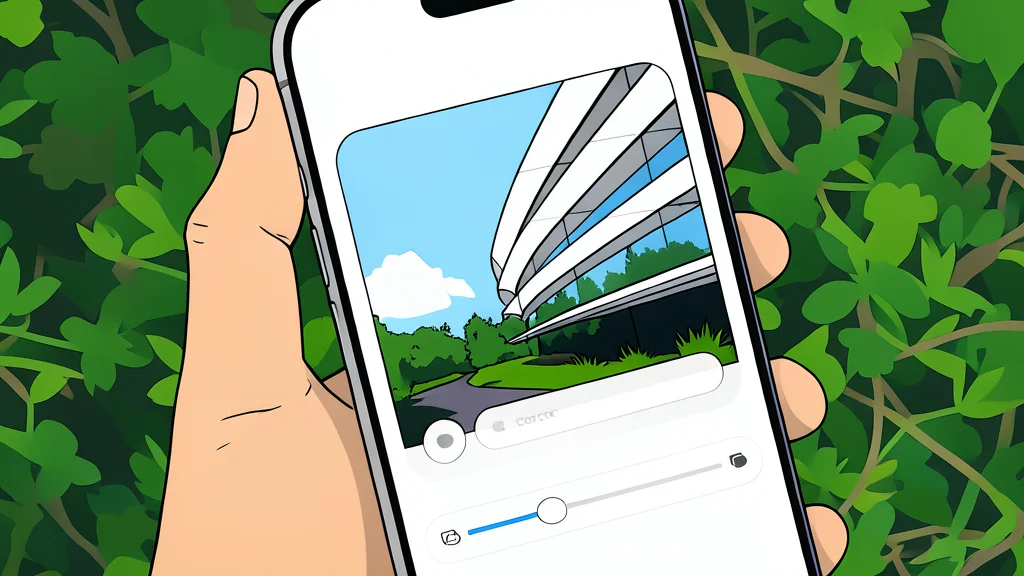
iOS 27 introduces a slider that lets users manually adjust the opacity and clarity of the Liquid Glass design, moving away from fixed presets.
Apple has introduced a new level of user control over the visual design of its operating system. With the release of iOS 27, the company is replacing rigid, binary choices with a flexible slider that allows users to fine-tune the appearance of the Liquid Glass interface. This change directly addresses long-standing criticism from users who found the glossy, translucent effects difficult to read or simply aesthetically displeasing.
The update marks a significant shift in how Apple handles design preferences. Previously, users were limited to predefined modes such as Tinted or Clear, which offered only limited variation. Now, individuals can dial in the exact level of transparency and contrast they prefer, ensuring the interface aligns with their personal needs for readability and visual style.
Adjusting opacity through a simple slider
To access this new feature, users must navigate to the Appearance section within the Settings app and select the Liquid Glass menu. Here, a horizontal slider replaces the old toggle switches. Moving the slider to the left increases the transparency, making the interface look more like traditional glass, while dragging it to the right increases opacity for a more solid, readable look. A live preview on the same screen allows users to see the changes immediately without switching between apps.
Compatibility and device requirements for the update
This customization option is exclusive to iOS 27, meaning users on previous versions of the software will not be able to access the slider. Apple has confirmed that iOS 27 is compatible with iPhone 11 models and any device released after that. This ensures that even older devices can take advantage of the new design controls, rather than being stuck with a limited version of the user interface.
Alternative options for disabling transparency effects
For those who prefer to eliminate the glassy effect entirely, Apple offers a separate solution within the Accessibility settings. By enabling the Reduce Transparency toggle under Display & Text Size, users can aggressively strip away the visual effects that contribute to the Liquid Glass look. While this option is more drastic than the new slider, it provides a clear path for users who prioritize maximum text contrast above all else.
As reported by Engadget, these changes represent a responsive move by Apple to address user feedback. While the public release of iOS 27 is scheduled for September, developers and beta testers have already had access to these features. Users eager to try the new controls can join the Apple Beta Program, though they should be prepared for potential bugs that often accompany pre-release software.