Check Your Router Ports Before Upgrading Hardware
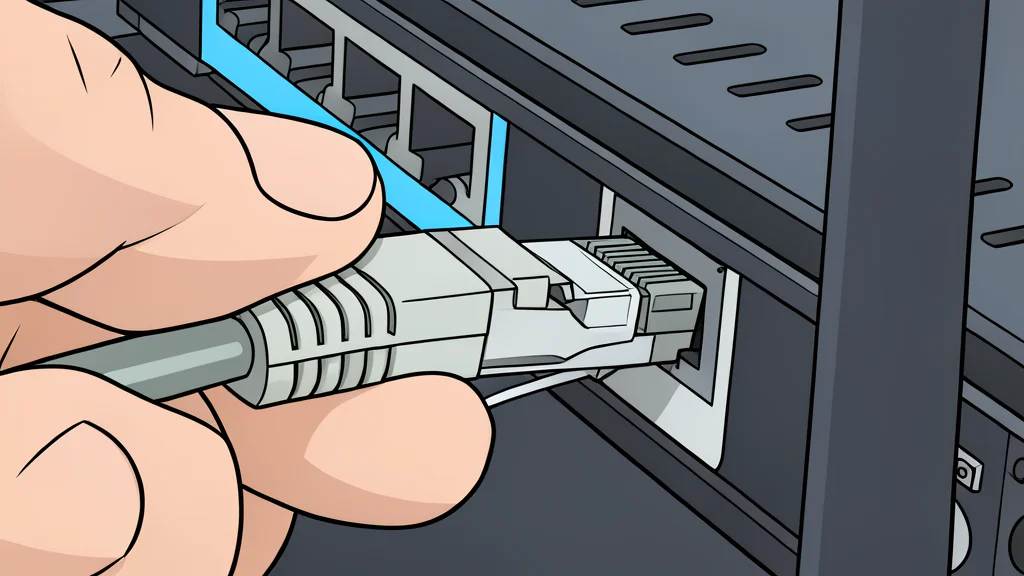
Not all router ports are created equal. Understanding the difference between WAN and LAN connections, and the varying speed capabilities of each port, is essential for maximizing your home network performance without unnecessary hardware upgrades.
Many users assume that all the rectangular Ethernet ports on the back of their router are interchangeable, but this is often a mistake. Depending on the specific model, these ports can serve distinct purposes, ranging from connecting to the internet service provider to linking local devices like gaming consoles and desktop computers. Misidentifying these roles can lead to configuration errors or, more subtly, a slower connection than your equipment is actually capable of delivering.
The first distinction to make is between the Wide Area Network (WAN) port and Local Area Network (LAN) ports. The WAN port, sometimes labeled 'Internet,' is the gateway to your external internet service. If you use a separate modem or fiber optic terminal, the cable from that device must plug into this specific port. The remaining ports are LAN connections, designed for internal home devices. Engadget notes that while some routers have auto-sensing ports that adapt to either role, most standard models require you to manually assign the correct cable to the correct socket to ensure a stable connection.
Port Speeds Vary Significantly
Once the correct functional port is identified, the next critical factor is speed. Modern routers often feature a mix of connection types rather than a uniform set. You might find a combination of standard 1 Gigabit ports alongside faster 2.5 Gigabit or even 10 Gigabit connections. These speed ratings indicate the maximum data transfer rate the port can handle. For instance, a router might have four slower ports for general use and one or two high-speed ports for demanding tasks like large file transfers or high-resolution streaming.
It is a common misconception that the physical position of a port determines its speed. Often, the fastest port is not simply the first one you see. Manufacturers may assign the high-speed connections to specific sockets based on the internal architecture of the device. To determine which port offers the best performance, you must consult the technical specifications of your specific router model. Relying on guesswork or assuming that port one is always superior can result in leaving potential speed on the table.
Hardware Limits Define Actual Speed
Even if you plug a device into the fastest available port, your overall network speed is capped by the slowest component in the chain. This is known as the bottleneck effect. If your computer has a 1 Gigabit Ethernet adapter, connecting it to a 10 Gigabit router port will not upgrade your computer’s capabilities. The hardware on the device side dictates the maximum link speed it can achieve. The router’s port will simply negotiate down to the highest common denominator supported by both ends.
This trade-off means that upgrading a router alone does not guarantee a faster wired experience if your existing devices lack the necessary hardware support. To utilize multi-gigabit speeds, every component in the connection path, including the router, the network card in your computer, and the Ethernet cable itself, must support that specific speed tier. Without matching hardware, the extra cost of a high-speed port is effectively wasted for that particular connection.
Expanding Capacity With Switches
If your router does not have enough LAN ports for all your wired devices, you do not need to purchase a second router. An Ethernet switch is the standard solution to expand your network’s physical connectivity. These devices plug into one of the router’s LAN ports and provide additional outlets for other computers, consoles, or storage units. This setup allows you to maintain a centralized network hub without the complexity of managing multiple routing devices.
When selecting a switch, it is important to match its port speeds to your router’s capabilities. If you are using a high-speed port on your router to feed a switch, ensure the switch itself supports that same speed tier. Otherwise, you will create a bottleneck at the switch, negating the benefits of the high-speed router port. By carefully mapping out your device requirements and checking the specifications of both your router and any additional switching hardware, you can ensure that your wired network operates at its full potential.