Browser-Based Drum Machine Emulator Eliminates Setup Barriers
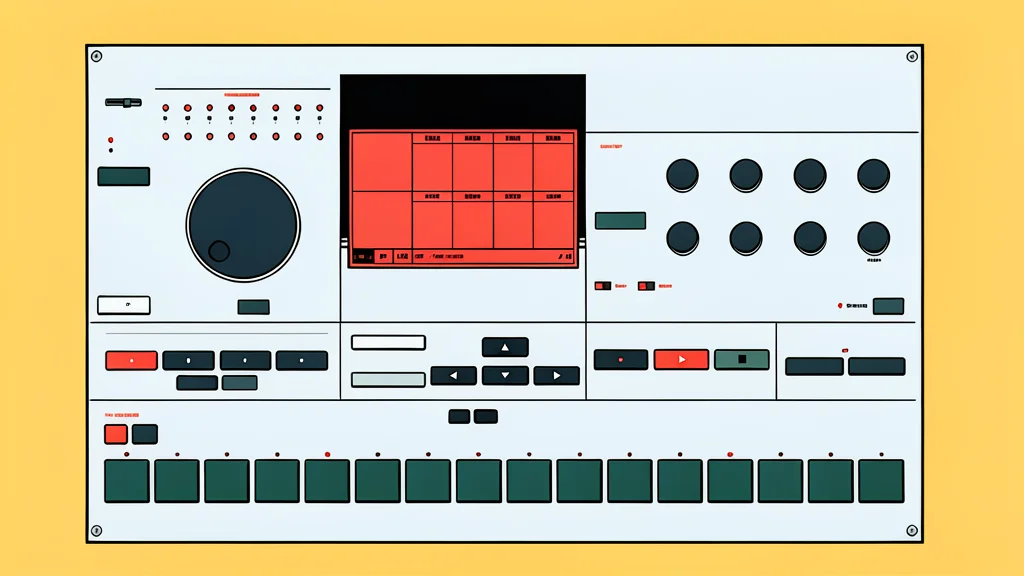
A new web-based tool allows users to play a vintage-style drum machine directly in a browser, removing the need for complex software installation or hardware ownership.
A new web-based instrument allows anyone to play a virtual version of the Elektron MachineDrum directly in a browser. This development removes the traditional barriers of installing digital audio workstation software or sourcing specific memory files. Users can now access the full range of features without any prior setup, making a niche piece of music technology immediately accessible to a much wider audience.
The emulator was ported to the web by a Chinese developer, transforming a tool that previously required specific desktop environments into a universal browser application. As reported by GN technics/software, this version works on desktops, smartphones, and tablets. It replicates the original hardware's functionality, including four independent percussion engines and a detailed sequencer, allowing musicians and hobbyists to experiment with electronic drum sounds instantly.
Instant access without technical barriers
Traditional emulation of this type of instrument often requires users to own a specific digital audio workstation (DAW) and hunt for compatible ROM files. This new approach eliminates those steps entirely. By running in a standard web browser, the tool lowers the entry point for people who may not have professional audio software or high-end computers. It turns a specialized piece of music hardware into a simple online resource, similar to visiting a website.
The browser-based interface mimics the physical layout of the original device, providing a tactile visual experience. While it does not require a dedicated audio interface, it relies on the device's built-in microphone or speaker for basic playback. This makes it a viable option for casual experimentation or sketching ideas on the go, provided the user has a stable internet connection and a modern browser.
Sound engine capabilities and limitations
The emulator includes four distinct sound engines: TRX for classic drum machine tones, EFM for percussive frequency modulation, E12 for sample playback, and PI for physical modeling. Each sound can be shaped with a suite of effects, including distortion, filters, and delay. However, there is a notable trade-off. The tool does not include a built-in audio recorder, meaning users must rely on external software like OBS to capture the output if they wish to save their compositions.
While the visual design is praised for its fidelity to the original hardware, audio purists may notice differences in the sound signature. Blind comparisons suggest that certain sounds, such as the snare, may not be identical to the original hardware or other existing emulators. This discrepancy highlights the challenge of emulating complex analog and digital processes in a web environment, where performance constraints can affect the final audio output.
Accessibility versus professional workflow
This tool serves a different purpose than professional DAW plugins. It is designed for discovery and casual use rather than high-fidelity production. The lack of a native recording feature and potential audio deviations mean it is less suited for final mastering or critical listening sessions. Instead, it acts as a sandbox for exploring rhythmic patterns and sound design without the commitment of purchasing hardware or complex software licenses.
The catch is that the experience is limited by the capabilities of the web browser and the user's device. Mobile users, in particular, may face latency issues or limited touch controls compared to a mouse-driven desktop environment. Despite these limitations, the project represents a significant step in democratizing access to specific music technologies, allowing users to engage with complex synthesis tools in a low-friction, immediate manner.