Why Tweaking Router Settings Beats Buying New Hardware
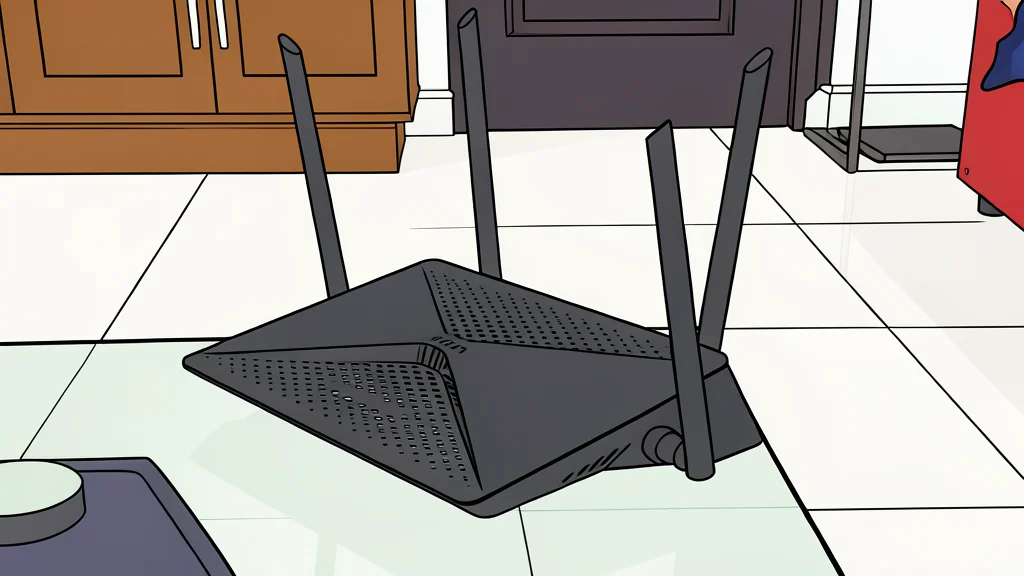
A decade-old router can outperform newer models if you fix three default settings that quietly degrade performance.
Many homeowners are about to spend hundreds of dollars on a new Wi-Fi 7 router because their current device feels slow. However, the bottleneck is often not the hardware age but the factory-default configuration. A recent report by XDA Developers highlights how specific settings, left untouched, can cause latency spikes and inconsistent speeds that mimic the symptoms of a dying device. The solution is usually a few minutes of manual adjustment rather than a major hardware upgrade.
The core issue lies in how routers automatically manage network traffic and frequency bands. While these automated features are designed for convenience, they often prioritize simplicity over optimal performance for specific user needs. By taking control of these automatic decisions, users can significantly improve stability and reduce lag, particularly in dense urban environments or apartments where neighboring networks create interference.
Manual band selection improves consistency
Most modern routers use a feature called Smart Connect, which merges the 2.4GHz and 5GHz bands into a single network name. The router then decides which band your device uses based on its own algorithms. While this is convenient for moving around a house, it can lead to suboptimal connections. A device in close proximity to the router might be pushed to the slower 2.4GHz band, missing out on the higher speeds available on 5GHz. Disabling this feature creates separate network names, allowing you to manually assign devices to the band that best suits their location and speed requirements. The trade-off is losing the automatic switching convenience, which is rarely needed in smaller living spaces.
This manual approach gives you direct control over network placement. For devices that need high throughput, such as a gaming console or a desktop computer, forcing them onto the 5GHz band ensures they utilize the faster spectrum. Meanwhile, devices that need better range or wall penetration can stay on 2.4GHz. This eliminates the guesswork involved in the router's automatic decision-making process, resulting in a more predictable and stable connection for critical tasks.
Fixed channels reduce neighbor interference
The default setting for Wi-Fi channels is almost always 'Auto'. This tells the router to pick a channel it deems least congested at the moment. However, this automatic selection does not always account for the real-time density of neighboring networks. In apartment buildings or urban areas, many routers may choose the same channel, leading to significant interference. Using a Wi-Fi analyzer app allows you to see which channels are crowded and manually select a clearer one. On the 2.4GHz band, channels 1, 6, and 11 are the standard non-overlapping options, but the best choice depends entirely on your specific local environment.
Choosing a fixed channel prevents the router from hopping between frequencies, which can cause momentary dropouts. While 'Auto' is a safe default for most users, it is not a guarantee of optimal performance. By manually selecting a channel with less traffic, you reduce the noise floor and improve the signal-to-noise ratio. This is particularly important for devices that rely on a stable connection rather than raw speed, such as smart home devices or streaming media players. The catch is that this requires a one-time setup and occasional re-evaluation if new neighbors move in with their own routers.
Narrower channels trade speed for stability
Channel width is another setting often left on 'Auto'. A wider channel, such as 40MHz, theoretically offers higher data throughput. However, in a crowded 2.4GHz spectrum, a wider channel occupies more space, increasing the likelihood of overlapping with neighboring networks. This can lead to more interference and less reliable connections. Forcing the 2.4GHz band to use a narrower 20MHz channel reduces the spectrum footprint, making it less likely to clash with other networks. This sacrifices some maximum speed in exchange for greater range and consistency, which is often more valuable for everyday use.
This trade-off is crucial for understanding how to optimize your network. If you need raw speed, you should be using the 5GHz band, which has more spectrum available and less congestion. The 2.4GHz band is better suited for devices that need to travel through walls or maintain a long-range connection. By narrowing the channel width on 2.4GHz, you prioritize stability over peak throughput, ensuring that your network remains responsive even in dense environments. This configuration is particularly beneficial for users who experience frequent dropouts or buffering, as it reduces the interference that causes these issues.