Fitting the Fitbit Air to Your Arm Instead of Your Wrist
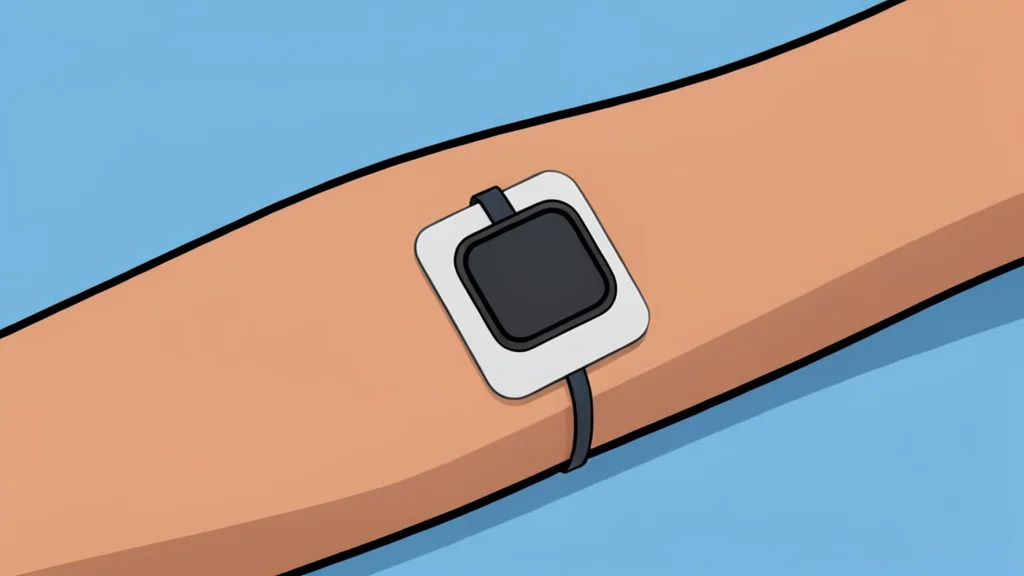
A growing number of users are bypassing the standard wrist strap for the new Fitbit Air, opting instead to adhere the device directly to their upper arm using medical-grade adhesives.
The recent release of the Fitbit Air has sparked a DIY trend among fitness enthusiasts who prefer a less conspicuous way to track their health. Rather than wearing the slim tracker on the wrist, many are taping it to their biceps or upper arms. This approach mirrors the design philosophy of competitors like Whoop, which markets bands specifically for non-wrist placement. For users who find wrist devices intrusive during exercise or daily life, this workaround offers a sense of freedom and minimalism.
The motivation behind this shift is primarily comfort and convenience. By moving the sensor away from the wrist, users eliminate interference from kettlebells, wrist wraps, or tight sleeves. The goal is to wear the tracker without constantly noticing it, allowing for a seamless integration into athletic gear. However, this method is not without its technical compromises, particularly regarding how the device interprets movement and how securely it stays in place over time.
Choosing the right adhesive matters
Securing the device requires careful selection of materials. While some users experiment with kinesiology tape, often used by athletes for joint support, it can peel off quickly during sweaty workouts or after showering. Standard medical tape also struggles to maintain a hold on a small surface area. The most reliable solution appears to be a continuous glucose monitor overpatch. These are large, durable adhesive stickers designed to keep small medical sensors attached to the skin for up to two weeks, making them well-suited for the Fitbit Air’s approximately one-week battery life.
Accuracy varies by body location
Placing the tracker on the upper arm changes how it reads data. The snug fit provided by a strong adhesive patch helps block out ambient light, which can improve heart rate readings. However, individual anatomy varies, and not everyone has equally accessible blood vessels in that area, meaning accuracy may differ from person to person. Furthermore, the device’s algorithms are calibrated to detect wrist movements. When placed on the arm, these motions are different, which can confuse the automatic workout detection feature.
Testing has shown that while heart rate data remains comparable to other devices, the automatic start of a run or cycle often fails. Users may need to manually initiate their workouts to ensure proper data logging. This is a significant trade-off for those who rely on the seamless, hands-free experience of modern fitness trackers. The device still functions, but it requires more active management from the user.
Removal can be physically painful
Perhaps the most overlooked downside is the removal process. The adhesive used in medical-grade overpatches is designed to stay put through sweat and rain for weeks. Consequently, peeling the sticker off the skin at the end of the battery cycle can be sharp and painful. This is a distinct discomfort compared to simply unclipping a plastic strap. Users considering this method must weigh the benefit of wrist-free tracking against the potential skin irritation and effort required to remove the device.
Despite these challenges, the trend continues to grow within online communities. As reported by GN auto tech/wearables: fitness tracker, the appeal lies in the ability to customize where health data is collected. For many, the minor inconveniences of manual workout starts and sticky removal are acceptable prices to pay for a more comfortable and less visible way to track their fitness.